How to add a phone buyback widget to WordPress
To add a phone buyback widget to WordPress, edit the page, add a Custom HTML block, paste your embed code into it, and click Update. On a self hosted site you need to be an Administrator or Editor so WordPress keeps the script, and on WordPress.com your site needs a paid plan with hosting features turned on.
The steps below use the Buyback Builder embed code. The WordPress steps are the same for most script based widgets.
Before you start
Copy your embed code from the Embed page in the Buyback Builder dashboard. It is a single line:
<script src="https://buybackpage.com/embed.js" data-shop="yourshop"></script>yourshop is replaced with your page name. If you only want one device on this page, copy the single device version instead; it adds data-device="iphone" (or ipad, watch, samsung, pixel or macbook).
Make sure your buyback page has prices first. A model shows on the widget once it is turned on and has market prices. The buyback website guide explains how prices work.
Add the widget with the block editor
- In your WordPress admin, open the page you want, or create a page called Sell Your Phone.
- Click the + block inserter where the widget should go.
- Search for HTML and choose Custom HTML.
- Paste your embed code into the block.
- Click Update (or Publish for a new page).
- Open the live page to check it.
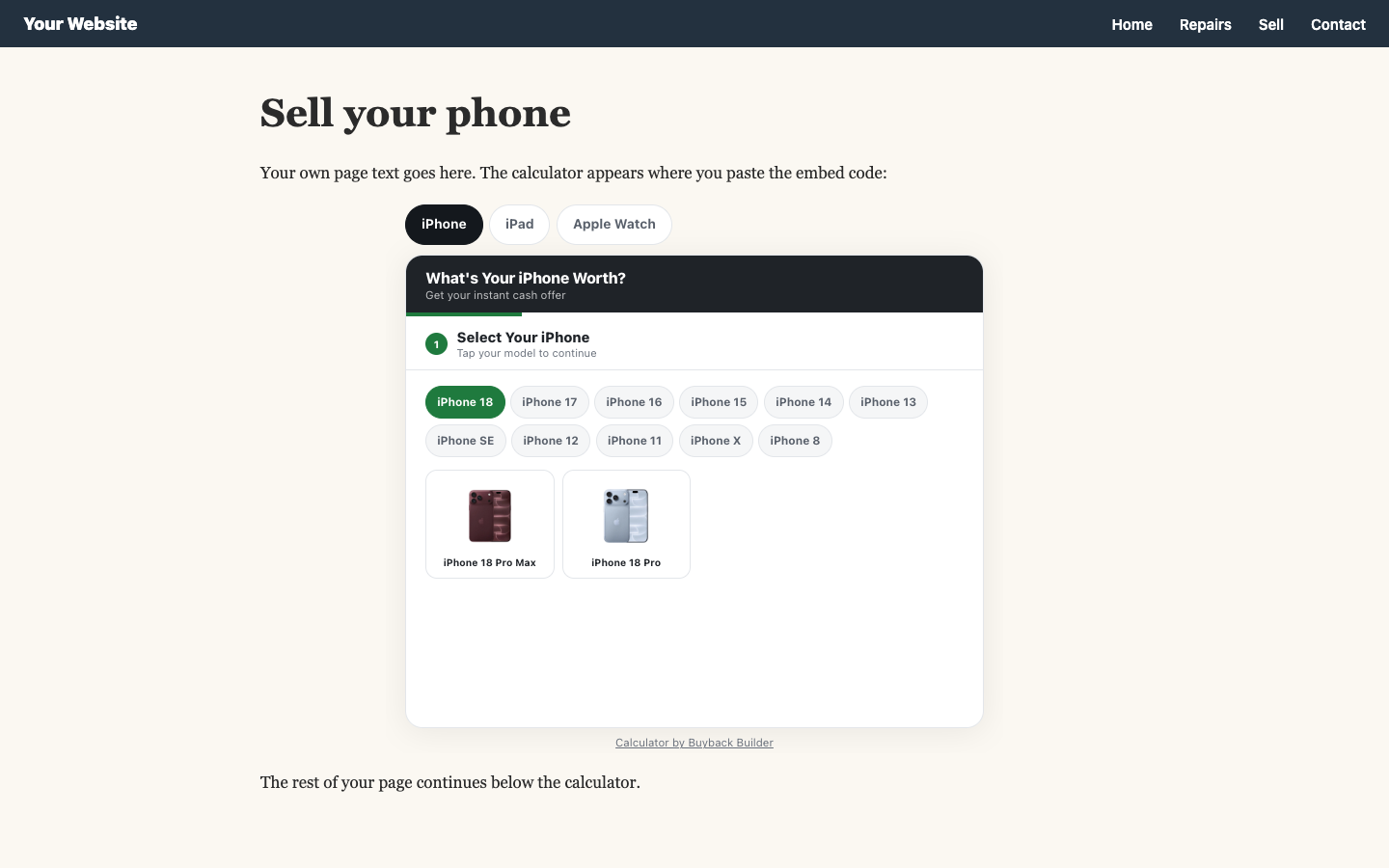
The block shows a preview, but the widget itself is easiest to judge on the published page. It sizes itself to each step, so there is no height to set and no scrollbar inside the frame.
Classic editor
If your site still uses the classic editor, switch the editor from Visual to Text, paste the code where the widget should appear, and click Update. Switching back to Visual can sometimes alter code, so make your other edits first and paste the embed last.
Self hosted WordPress: who can add it
WordPress only keeps script tags for users with the unfiltered_html capability. On a normal single site, Administrators and Editors have it. If you are logged in as an Author or Contributor, WordPress strips the script when you save, and the block ends up empty on the live page. On a multisite network, only Super Admins have that capability.
If the code disappears after saving, this is the most likely reason. Ask an Administrator to add the block, or to change your role.
WordPress.com: plan rules
WordPress.com limits which HTML tags a Custom HTML block can use. Its support pages state that adding script and iframe tags needs a paid plan with hosting features activated, and that a paid plan alone is not enough: hosting features turn on when you install your first plugin. Plugin installs are available on all paid WordPress.com plans.
On the free WordPress.com plan, the embed code will not run. Link to your hosted buyback page instead: add a Buttons block that says Get a cash offer and point it at https://yourshop.buybackpage.com.
Page builders and caching plugins
If your theme uses a page builder, add the code with that builder's HTML or code element instead of a block. The steps differ by builder, but the code is the same.
Some performance plugins delay or combine JavaScript files. If the widget appears late or not at all, exclude buybackpage.com/embed.js from the plugin's delay and combine settings, then clear the cache.
Troubleshooting
- The block is empty on the live page. Check your user role, as above.
- Nothing appears and the page has a WordPress.com address. Check your plan and whether hosting features are on.
- The widget shows the wrong device. Check for a
data-deviceattribute. Remove it to show every device you buy. - You want the widget on several pages. Paste the same code on each page, or save the block as a pattern.
For other site builders, see the guides for Wix and Squarespace, or return to the home page.
Frequently asked questions
Do I need a plugin to add a trade-in widget to WordPress?
No. The Custom HTML block that comes with WordPress is enough. On WordPress.com, installing any plugin is what turns on the hosting features that allow scripts, but the widget itself is not a plugin.
Why does WordPress remove my embed code?
On self hosted sites, only users with the unfiltered_html capability can save script tags. Administrators and Editors have it on a single site; on multisite only Super Admins do.
Does the buyback widget work on the free WordPress.com plan?
No. WordPress.com only allows script and iframe tags on paid plans with hosting features turned on. On a free plan, link a button to your hosted buyback page.
Will the widget match my WordPress theme?
The widget keeps its own clean styles so themes cannot break it, and it uses the accent color you set in your Buyback Builder settings.
Do offers locked through the WordPress embed reach me?
Yes. The customer gets an offer email with their code, you get a copy, and the offer appears in your dashboard marked as coming from your website.