How to add a phone buyback widget to Squarespace
To add a phone buyback widget to Squarespace, edit the page, click Add Block, choose Code, paste your embed code with the mode set to HTML, and save. Squarespace only runs JavaScript in a Code Block on the Core, Plus and Advanced plans, so on the Basic plan you link a button to your hosted buyback page instead.
The steps use the Buyback Builder embed code. The Squarespace part applies to any script based widget.
Check your plan first
Squarespace's help center states that adding JavaScript or an iframe to a Code Block needs a site on the Core, Plus or Advanced plan. Trials and some older plans are included. On the Basic plan, Code Blocks still accept plain HTML and CSS, but scripts do not run, and Squarespace notes that if you move a site down to Basic the code stays in the block but stops working.
Your current plan is listed in your Squarespace billing settings. If you are on Basic, skip to the section on linking to your page below.
Get your embed code
In the Buyback Builder dashboard, open Embed and copy the code. It looks like this, with your page name in place of yourshop:
<script src="https://buybackpage.com/embed.js" data-shop="yourshop"></script>For a page about one device, such as Sell Your iPhone, copy the single device version. It starts the customer on that device's model step.
Set your prices before you embed. The widget lists a model once it is turned on and has market prices. The buyback website guide covers prices, grades and offer locks.
Add the Code Block
- Open the page in the Squarespace editor and click Edit.
- Hover over the section where the widget should go and click Add Block (or the + icon).
- Choose Code.
- Click the pencil icon on the new block to edit it.
- Set the mode to HTML, paste the embed code, and leave Display Source off.
- Click outside the block, then Save.
- Make the block span the full width of the section so the widget has room.
The widget sizes itself to each step, so there is no height to set.
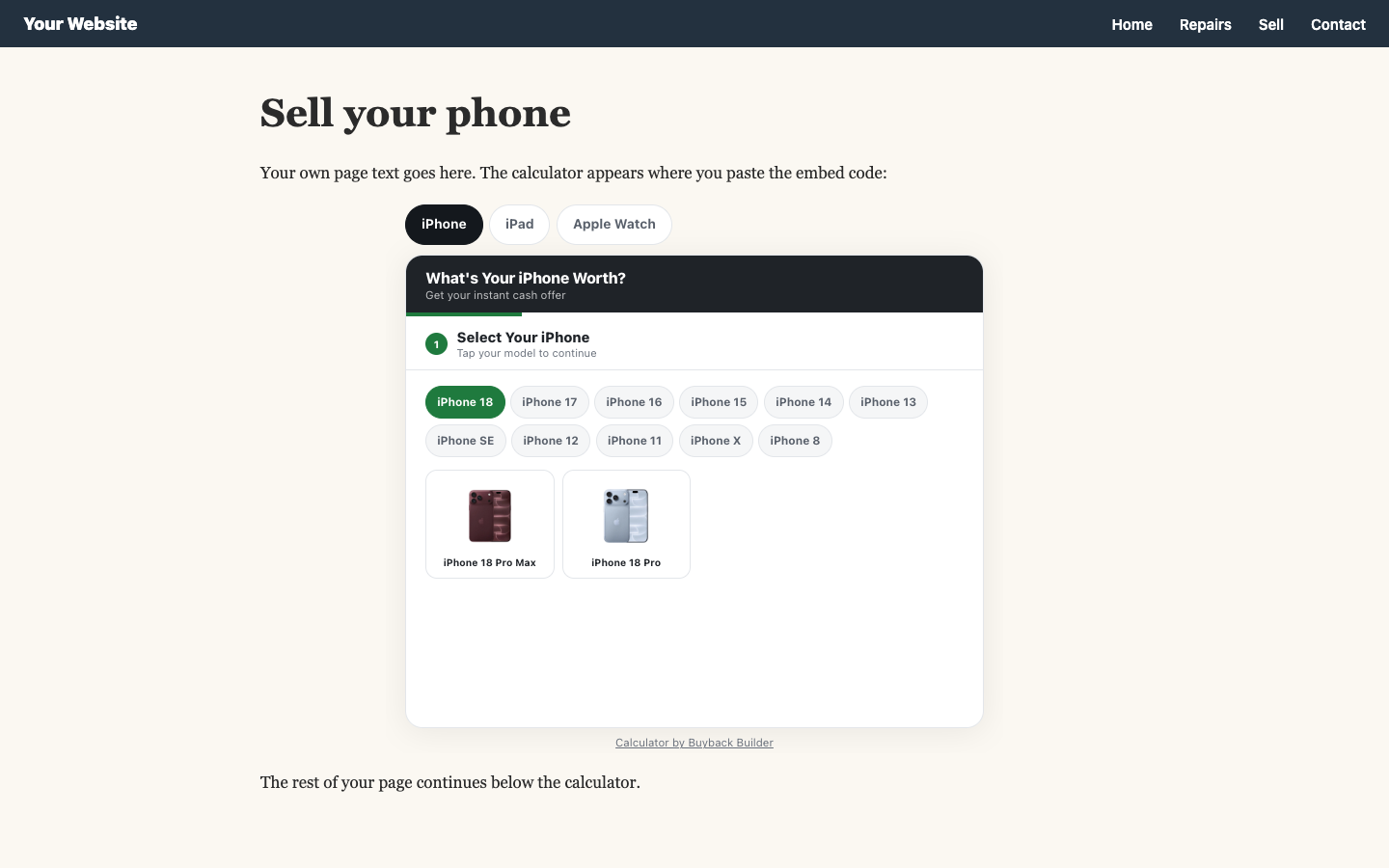
If it does not show while you are editing
This is normal on Squarespace. Its help center says that, as a security measure, custom code sometimes does not appear while you are logged in, even though visitors see it. To check:
- Open the page in a private or incognito browser window, where you are not logged in, or
- Use Squarespace's option to preview in Safe Mode.
If a Code Block ever makes the editor hard to use, Squarespace offers a setting to disable scripts in preview while you work.
On the Basic plan: link to your page
You do not need the embed to send customers to your buyback page. Every Buyback Builder shop has its own page at https://yourshop.buybackpage.com with your logo, address, phone and hours. On any Squarespace plan:
- Add a Button block that says Get a cash offer.
- Set its link to your buyback page.
- Add the same link to your navigation or footer.
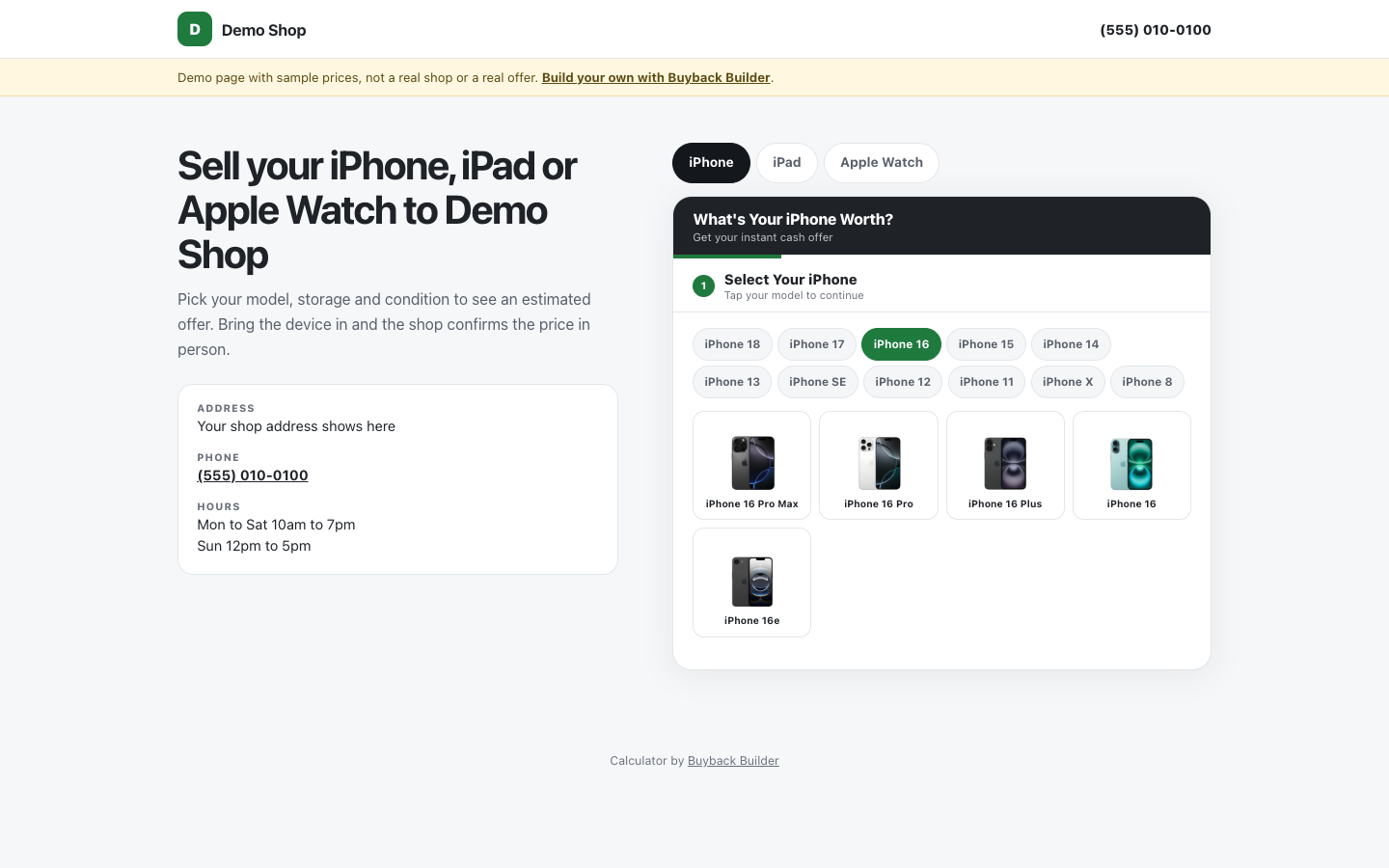
Squarespace also has an Embed Block that is available on all plans, but its help page does not say whether pasted script code runs there on Basic. A Code Block on Core or higher, or a button link on Basic, are the two options that are documented.
Troubleshooting
- Blank space where the widget should be. Check the page logged out. Then check your plan.
- The code shows as text. Turn Display Source off and make sure the mode is HTML.
- It worked, then stopped. Check whether the site moved to the Basic plan.
- It does not show on a blog index or a page with Ajax loading. Squarespace notes custom code may not render on index pages or with Ajax loading. Put the widget on a regular page.
Using another builder? See the guides for Wix and WordPress, or go back to the home page.
Frequently asked questions
Which Squarespace plans can run a trade-in widget?
Squarespace's help center lists the Core, Plus and Advanced plans, plus trials and some older plans, for JavaScript and iframes in Code Blocks. The Basic plan does not run them.
Why can't I see the widget in the Squarespace editor?
Squarespace sometimes hides custom code while you are logged in, as a security measure. Visitors still see it. Check the page in a private browser window.
Can I add a trade-in widget on the Squarespace Basic plan?
Not as an embedded widget through a Code Block. Link a button to your hosted buyback page instead. Customers get the same steps and the same price lock.
Do locked offers from Squarespace come to me?
Yes. The customer gets their offer email and code, you get a copy, and the offer shows in your dashboard marked as coming from your website.